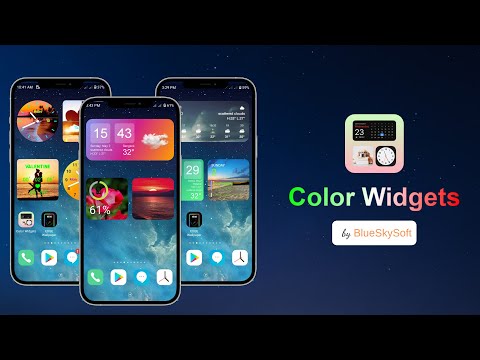
Widgets OS 18 - Color Widgets APK for Android
Download Widgets OS 18 - Color Widgets 1.12.8 APK
Choose the Widgets OS 18 - Color Widgets APK for your device
-
File verification, APKS for arm64-v8aSignature matches the developer’s certificate
Unmodified file: exactly the file the official app store serves, with the developer’s certificate, signed with the developer’s app signing key, managed by Google. A signature shows who signed the file, not how the app behaves. For APKS, the check covers the base APK: Android installs the other parts only if they are signed with the same key.
Signature checked
- Signed by
- CN=Android, OU=Android, O=Google Inc., L=Mountain View, ST=California, C=US
- Certificate SHA-256
- 1FDC54A27E8CE0D39C29E037A23FC4682C4F23B2804BEBC041DCB38ADC842789
- Certificate SHA-1
- 006A73FC387D30DE69D86E84F52F8888E6ABF87A
- SHA-256 of the base APK (Color_Widgets-1.12.8.apk)
- 23e79ea6188ae2c212116c3edc1016eea3f2d67cab4df4e38f13949b008b6651
- Other parts of this APKS
- config.arm64_v8a, config.en, config.xxhdpi
- The .apks archive is packed on download.
- Signature schemes
- v2, v3
- Reference
- Official app store
App permissions
- Uses your advertising ID
- In-app purchases
Asks first: 9, Special access: 1, Granted automatically: 16
-
File verification, APKS for armeabi-v7aSignature matches the developer’s certificate
Unmodified file: exactly the file the official app store serves, with the developer’s certificate, signed with the developer’s app signing key, managed by Google. A signature shows who signed the file, not how the app behaves. For APKS, the check covers the base APK: Android installs the other parts only if they are signed with the same key.
Signature checked
- Signed by
- CN=Android, OU=Android, O=Google Inc., L=Mountain View, ST=California, C=US
- Certificate SHA-256
- 1FDC54A27E8CE0D39C29E037A23FC4682C4F23B2804BEBC041DCB38ADC842789
- Certificate SHA-1
- 006A73FC387D30DE69D86E84F52F8888E6ABF87A
- SHA-256 of the base APK (Color_Widgets-1.12.8.apk)
- 23e79ea6188ae2c212116c3edc1016eea3f2d67cab4df4e38f13949b008b6651
- Other parts of this APKS
- config.armeabi_v7a, config.en, config.xxhdpi
- The .apks archive is packed on download.
- Signature schemes
- v2, v3
- Reference
- Official app store
App permissions
- Uses your advertising ID
- In-app purchases
Asks first: 9, Special access: 1, Granted automatically: 16
-
File verification, APKS for x86Signature matches the developer’s certificate
Unmodified file: exactly the file the official app store serves, with the developer’s certificate, signed with the developer’s app signing key, managed by Google. A signature shows who signed the file, not how the app behaves. For APKS, the check covers the base APK: Android installs the other parts only if they are signed with the same key.
Signature checked
- Signed by
- CN=Android, OU=Android, O=Google Inc., L=Mountain View, ST=California, C=US
- Certificate SHA-256
- 1FDC54A27E8CE0D39C29E037A23FC4682C4F23B2804BEBC041DCB38ADC842789
- Certificate SHA-1
- 006A73FC387D30DE69D86E84F52F8888E6ABF87A
- SHA-256 of the base APK (Color_Widgets-1.12.8.apk)
- 23e79ea6188ae2c212116c3edc1016eea3f2d67cab4df4e38f13949b008b6651
- Other parts of this APKS
- config.en, config.ru, config.x86, config.xxhdpi
- The .apks archive is packed on download.
- Signature schemes
- v2, v3
- Reference
- Official app store
App permissions
- Uses your advertising ID
- In-app purchases
Asks first: 9, Special access: 1, Granted automatically: 16
Hi, There you can download APK file "Color Widgets" for Android free, apk file version is 1.12.8 to download to your android device just click this button. It's easy and warranty. We provide only original apk files. If any of materials on this site violates your rights, report us